So that new Tomodachi game, huh?
Where were you when Nintendo announced their new Tomodachi Life game? I sure wasn’t expecting that announcement!
So nice of Nintendo Co Ltd., oh, that sweet billion-dollar company, for doing the bare minimum and listening to their fans! We truly are Living The Dream. ☺️
As someone who’s been going embarrassingly deep into reversing and analyzing the internals of Mii characters over the past two years, you would probably imagine that I’ve been in endless excitement over this game. Ehhhh…
But regardless of what I think, the community has been moving fast in the past few weeks with this game. Thank Nintendo for shadow-dropping the demo for this highly anticipated game on a random Wednesday, giving us a far earlier look than we otherwise would’ve had.
Impressions?
I think I can speak for many of us when I say that we were at the very least pleased that they were actually continuing this series. Nintendo didn’t kill Miis in general, as some thought. That was a great thing!
Was I fan of the art style, the new voices, or every single other decision made in this game? Nope. I didn’t even play that much of the original on 3DS (like many others), because for how cute it is, the game gets very repetitive.
With my opinions aside, something people definitely couldn’t stop talking about since the first reveal were all of the new customization features. Oh, all of the new options.
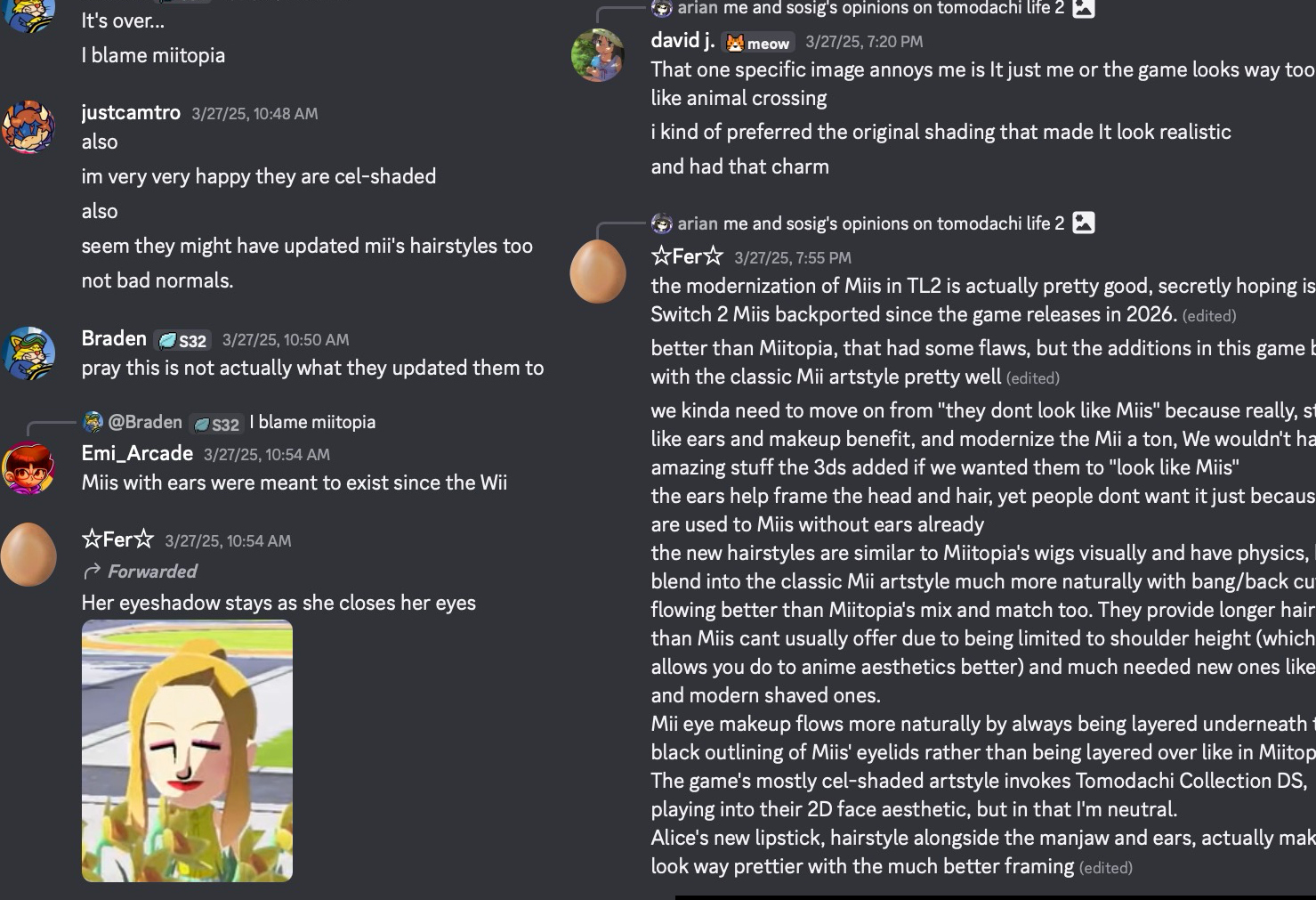 I remember speculation going on for weeks about the new ears, all of the new hair styles, that stupid little sparkle in their eyes that I don’t like…
Yeah, I’m a bit of a Mii Purist, as I wasn’t in love with Miitopia Switch’s new features either. Oh well, they’re here whether we want them or not.
Getting Miis In/Out of the Game
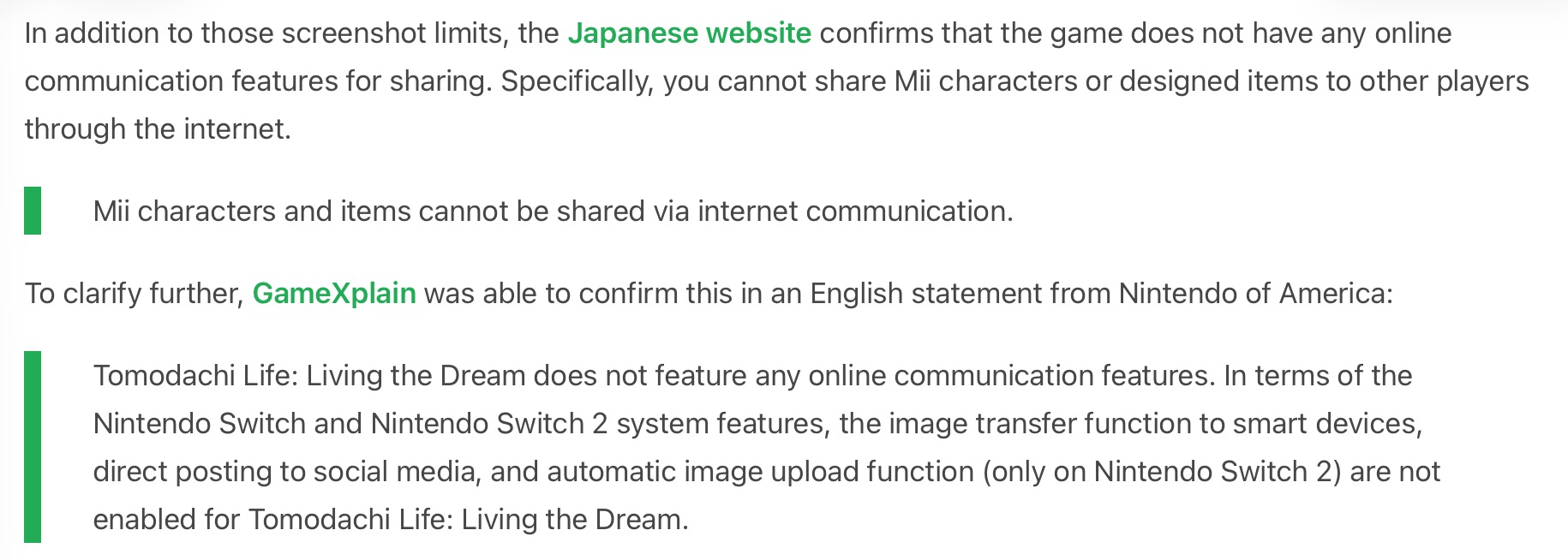
This is pretty much the first thing I started thinking about when it came to hacking/modding this game, because in January 2026, the inevitable was confirmed. Nintendo didn’t want any online sharing going on in this game.
_Source: Animal Crossing World
Despite the initial shock, as well as the unsurprised “Oh Nintendo!” reactions, what wasn’t obvious is that this was actually a first for Miis - since the very beginning, they’ve had many ways to spread.
- Wii: WiiConnect24, Wii Remote Mii storage, Check Mii Out Channel, Mii Parade, third-party games
- 3DS: Mii QR codes, Wii U/Wii/TomoColle transfer, StreetPass, Friends List
- Wii U: WaraWara Plaza, Wii transfer, Miiverse, Friends List again, amiibo, Mii JPEGs
- Switch: There was at least one way in/out (amiibo), and Miitopia Switch had “access codes”.
As you can see, every system with Miis had a way to exchange them with people, including Miitopia on Switch. This new Tomodachi Life won’t let you exchange Miis with strangers. Or at least, that’s not what they intended.
Meanwhile, when the demo came out people began reversing the save file ASAP to make a decently functional save editor: https://github.com/tlmodding/living-the-dream-save-editor
Within about two weeks, we began seeing the first Mii sharing tools using the save file. One is called ShareMii, and the other is called… ShareMii. Very original, guys.
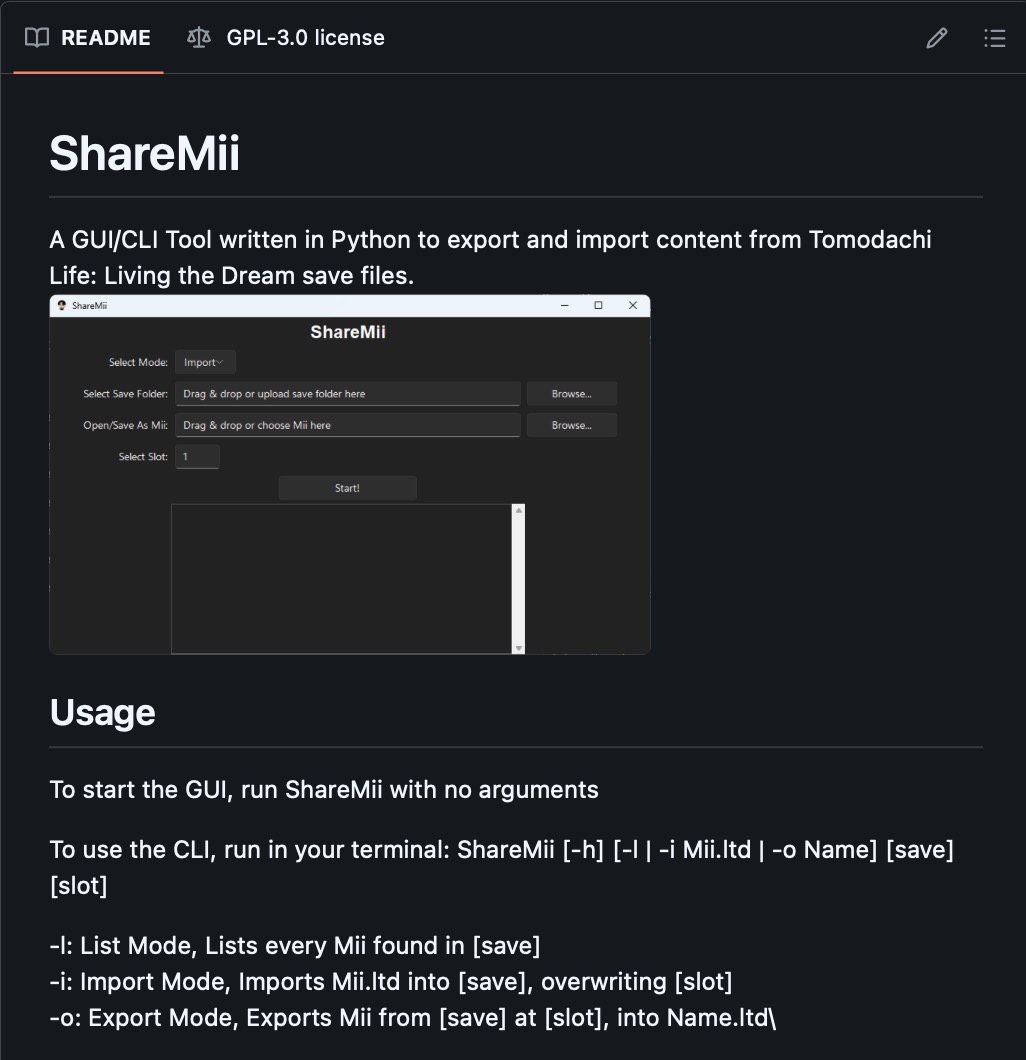
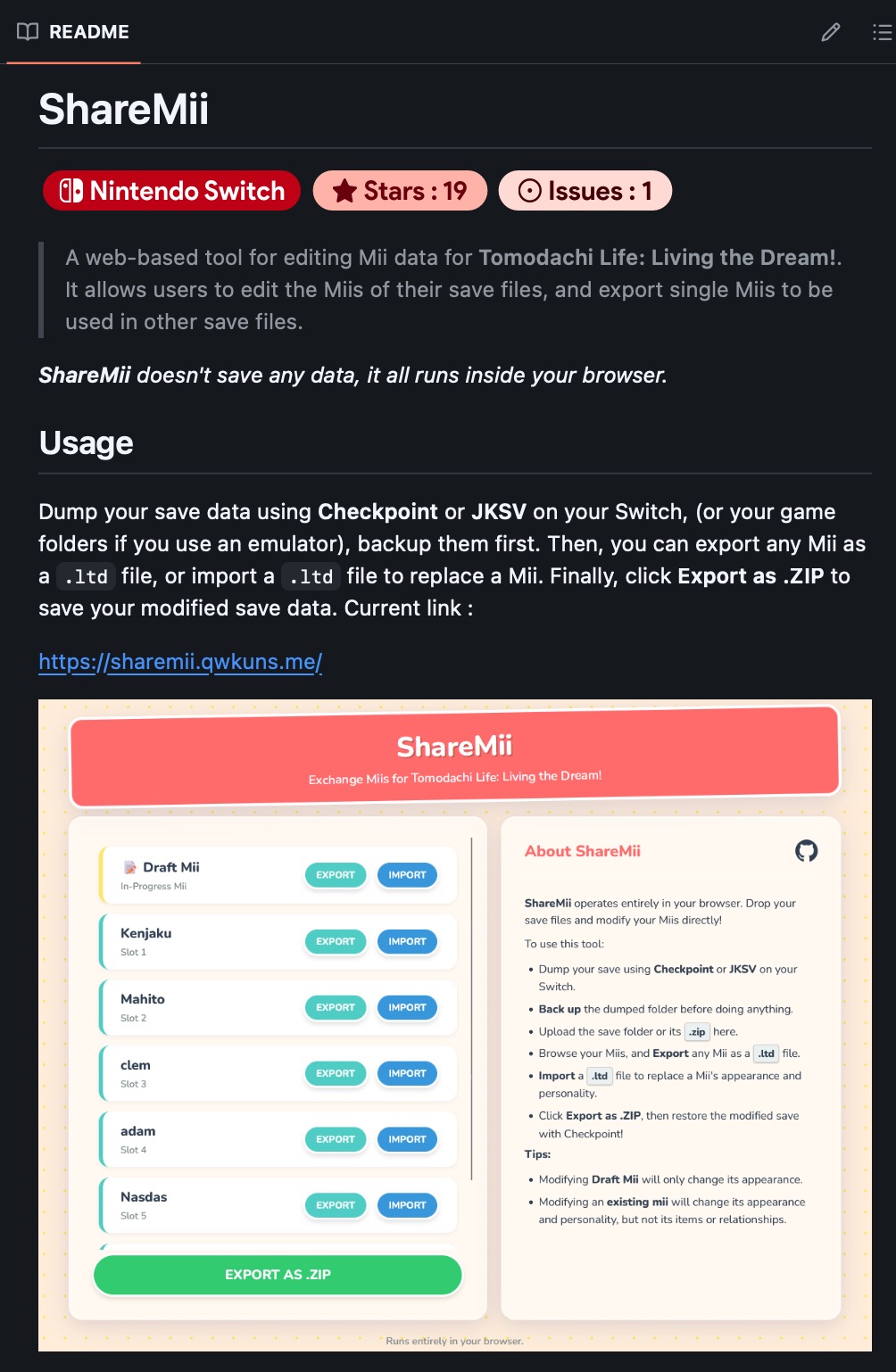
The difference is that one is a web app, while the other is a Python GUI/CLI tool. Pick your poison, I guess.
It’s definitely nice that these exist as some way for some users to share their Mii data, but this never got me as excited as reversing the only legitimate method for sharing Miis across devices.
That’s right, I’m talking about the local Wi-Fi transfer feature. The bare minimum that Nintendo Co., Ltd. graced us with. I’m surprised they even added this.
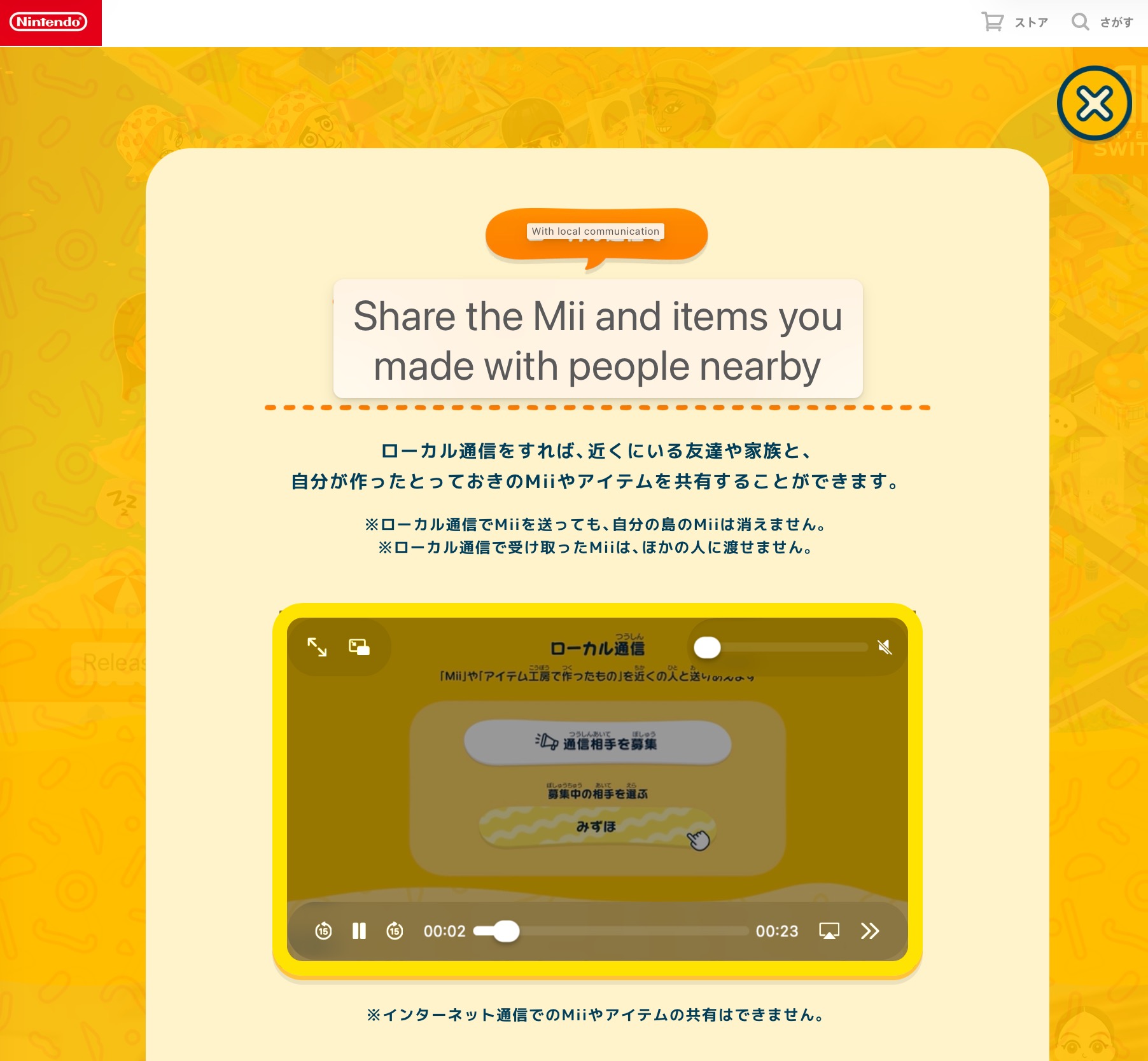 _Source: Nintendo’s Japanese site
Fighting with Local Wi-Fi Transfer
Many people brought up the idea that we’d spoof the other console using a PC, and that would allow us to transfer Miis between any unmodded consoles over the internet, the way we should’ve been able to do to begin with.
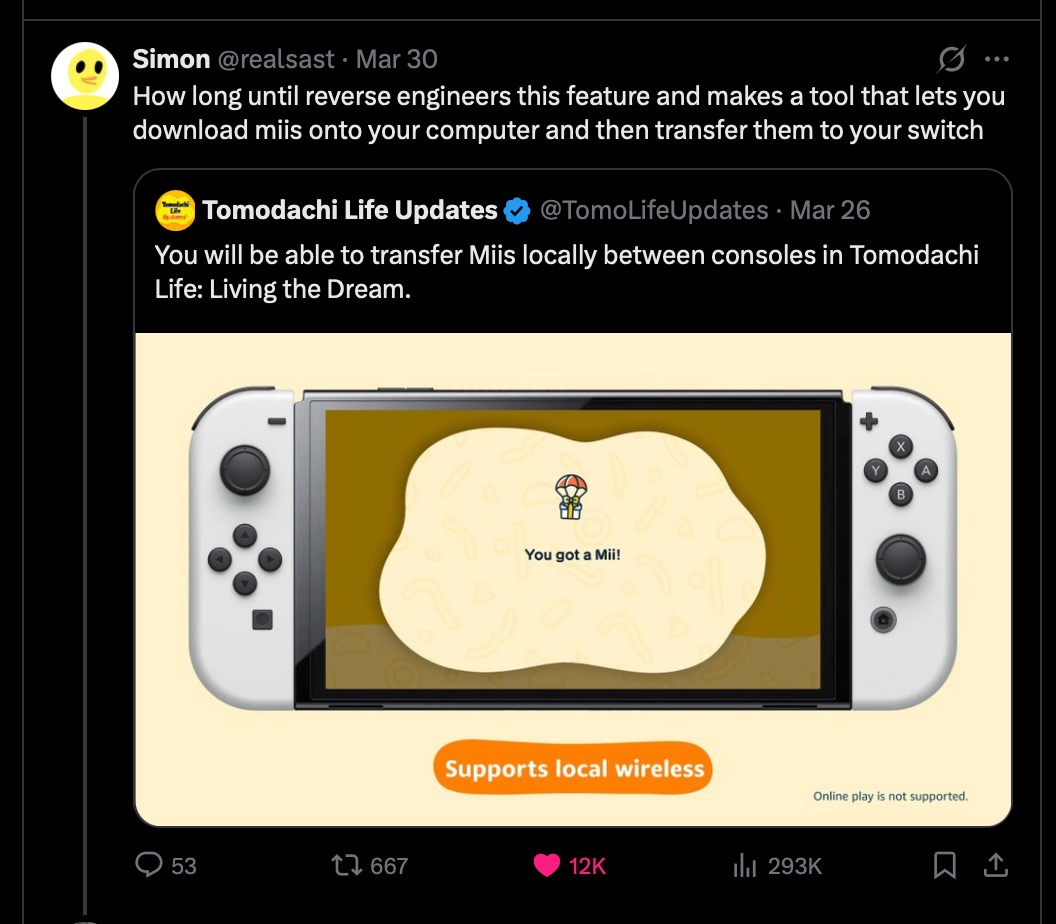
The groundwork for reversing this has been here for a while, as there’s good interest in the local Wi-Fi features of the Switch:
- ldn_mitm - Allows doing local Wi-Fi features with LAN instead, and playing with others from across the world or between emulators.
- kinnay/LDN - Python code that’s “able to scan for nearby LDN networks, join them, and even host your own networks.”
- Works between real consoles! There is also a bunch of documentation from him, as usual.
- As far as I know, Kinnay has been using this for security research with the Switch and Switch 2.
- ldn-tunneling - Possibly the most interesting of the three for us. It lets you use two unmodded consoles to communicate over the Internet…?
- Also the most experimental of the three. It requires specific hardware…
Just what the doctor ordered, right? As long as the game isn’t Switch 2 exclusive, we were going to be able to spoof another console eventually. But of course, there’s more to it than that.
- Communicating between a real console requires Linux and root access, as well as a special Wi-Fi card supporting “monitor mode”.
- LDN is just the protocol for local Wi-Fi, but the game has its own communications on top which is our job to reverse.
- There’s then the question of what to do with the Mii data - render? edit? - but let’s get back to this later.
There are some big questions there, but the most relevant one is about the protocol.
Attempting to Reverse the Protocol (MiiEdit Applet)
I first looked into this in about February before the demo was available. However, even after the demo shadow-dropped in March, it didn’t include any code for actually performing the local Wi-Fi transfers (just the UI and translated strings).
 What could we do instead? I actually wanted to take this opportunity to try reverse-engineering the other Mii Wi-Fi transfer feature instead, to be better prepared.
This feature often gets glossed upon, but the Wii/DS, 3DS/Wii U, and Switch all have a feature to transfer Miis over local Wi-Fi.
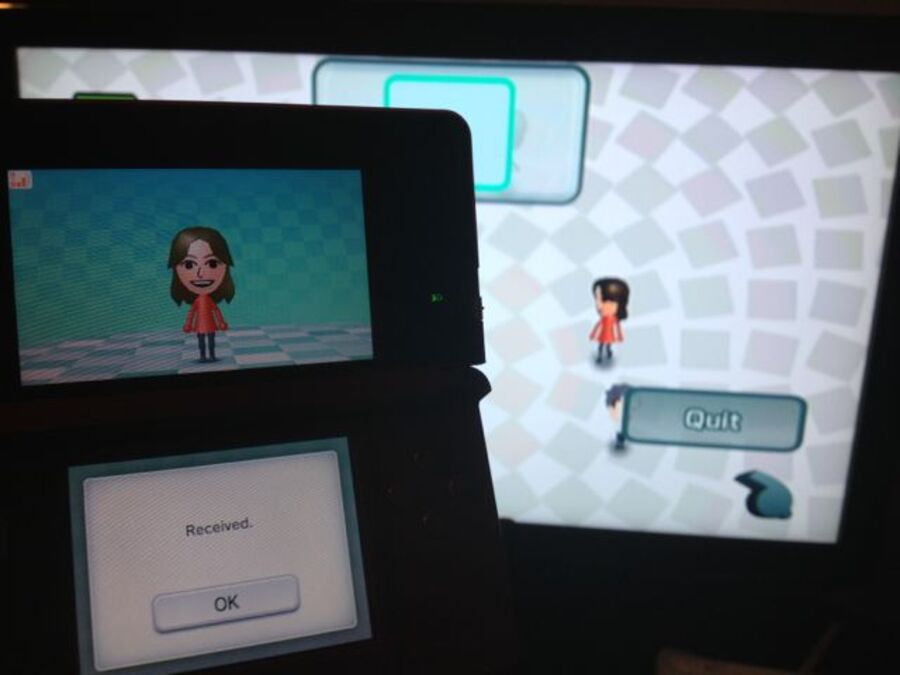
3DS -> Wii (Source: Nintendo Life).
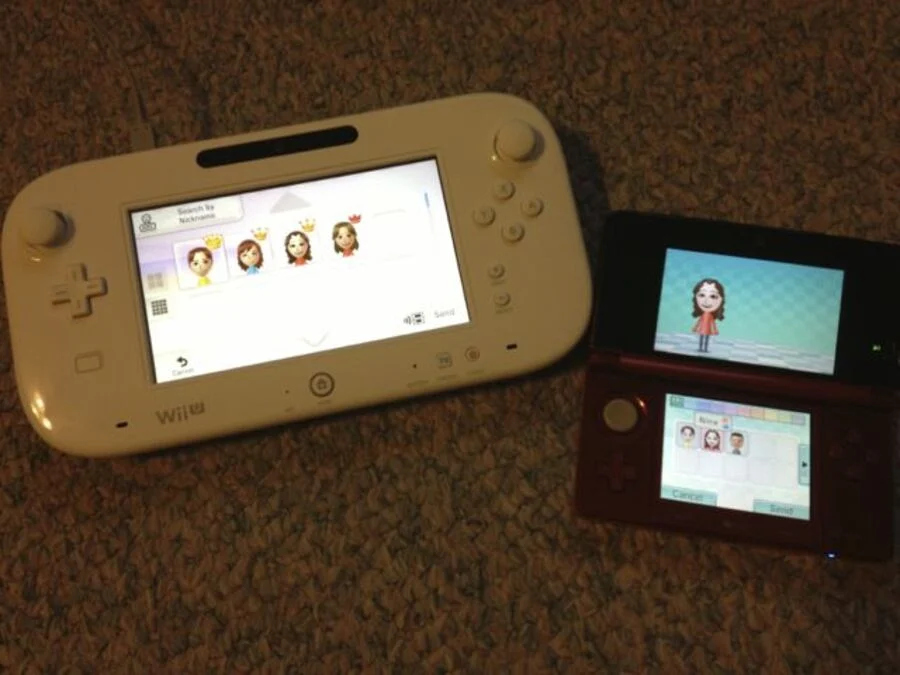 3DS <-> Wii U (Source: Nintendo Life).
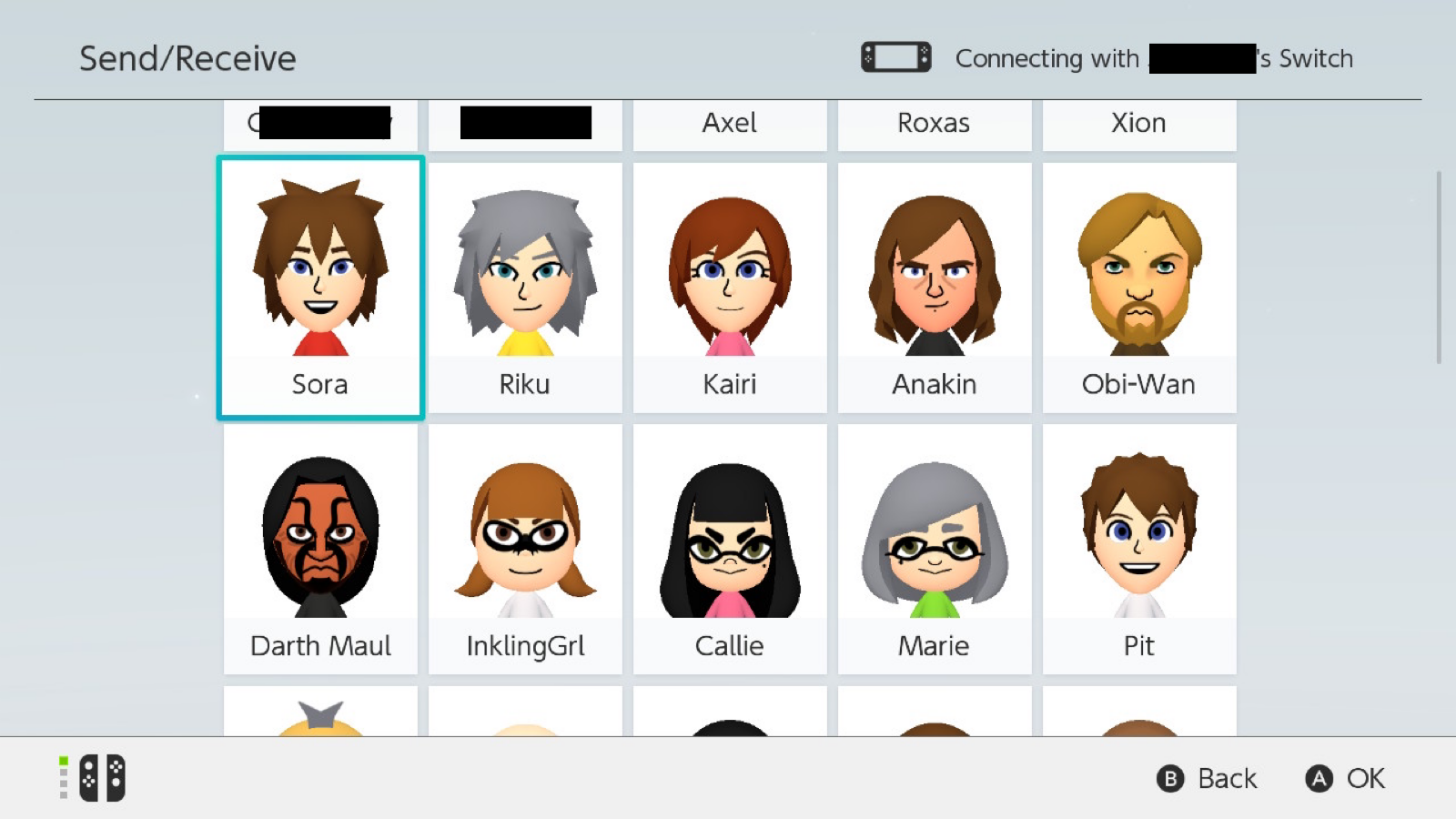 Switch <-> Switch (Source: Nintendo Wire).
Since nobody ever looked into these features up to this point, I’ve always been curious about reverse-engineering them. Sometimes I’ve even pictured it being included in a set of “ultimate” Mii tools. Why do this instead of Wiimotes/QR codes/amiibo? Because it’s waaaay quicker and easier at transferring Miis in bulk. It’s also one method across all consoles, so potentially one program and one setup process.
Okay, so let’s hack this! But we obviously can’t just sniff the communications out of the air, since Wi-Fi is encrypted. We already heard about ldn_mitm that directs this over LAN instead, but because I’m really lazy, I wanted to try this in an emulator first.
MiiEdit Fights Back
The first time I tried the Switch Mii editor’s local transfer feature in Ryujinx, I saw… this:
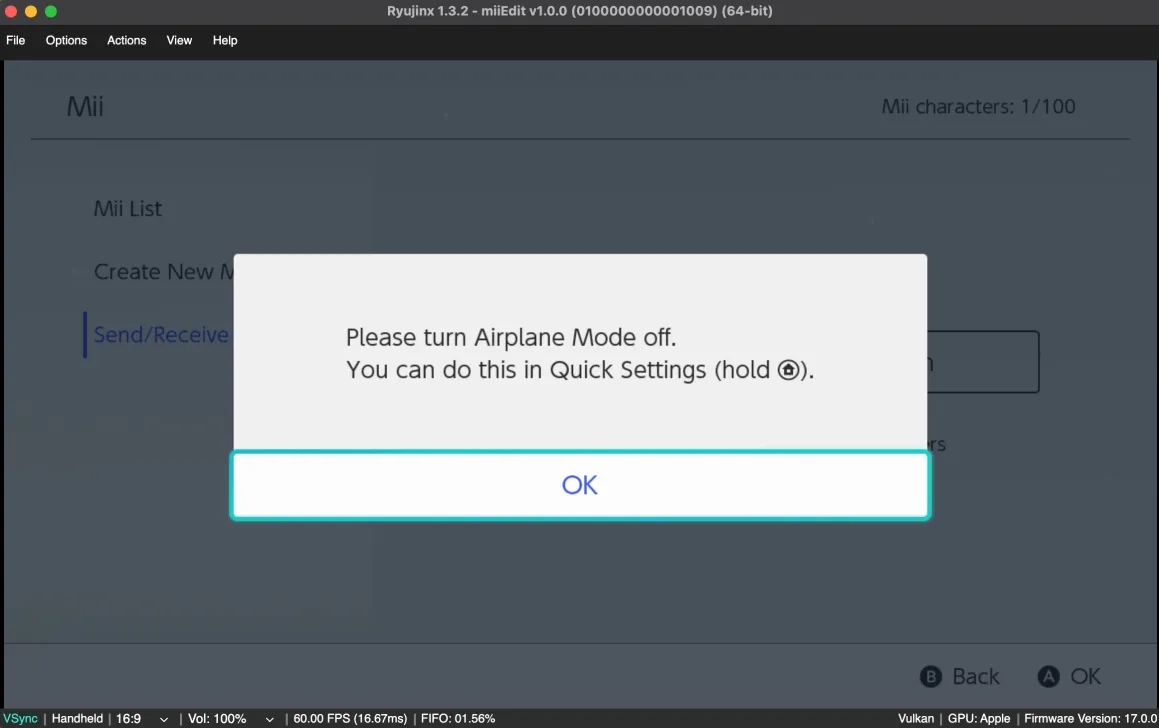 It was very confusing, because I 100% definitely had Internet access enabled. It seemed that it “knew” that Wi-Fi was off before it even tried, like a hidden setting that applets can read out.
I was stuck here for a while not knowing what to do about this, and gave up. But when I asked about this in the ReSwitched Discord, instead of being ignored, a kind soul ACTUALLY helped me with this! I thought - wow, someone finally chose to help me the way I always try to help others.
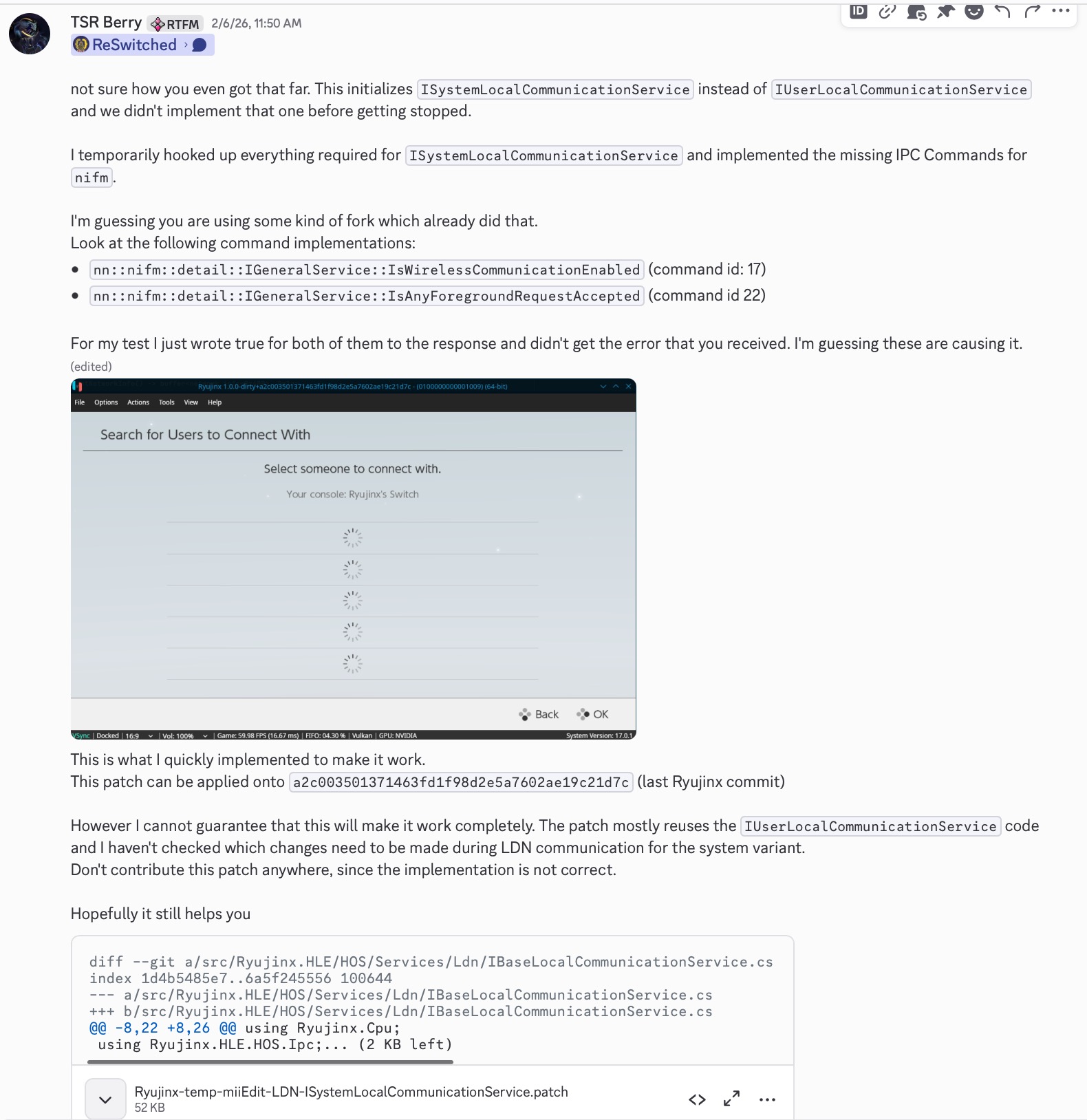
This “TSR Berry” guy has been doing some work around LDN in Ryujinx, and identified some problems that lead to this:
- Yes, the MiiEdit applet is using two APIs Ryujinx didn’t implement (IsWirelessCommunicationEnabled, IsAnyForegroundRequestAccepted)
- But it is also using… a copy? of the LDN service.
- Usually it’s called IUserLocalCommunicationService
- This applet SPECIFICALLY is using ISystemLocalCommunicationService
- Berry concluded the services are similar, so he split it into a base class and reused it for both. Turns out that this is what Nintendo did as well. Source: Trust me bro
So, not off to a good start already. It took me many weeks to come back to this, but I eventually did more testing in Ryujinx and met more disappointing results.
- I couldn’t easily test with another console, because ldn_mitm itself would’ve had to be modified to MITM the “system” service alongside the user service. I didn’t want to bother with this whatsoever, so I had to use two Ryujinx instances.
- Apparently there is a bug with LDN on Mac so I had to use my work laptop to run both copies and test.
- At first it didn’t show up, due to this weird “got empty Username” message.
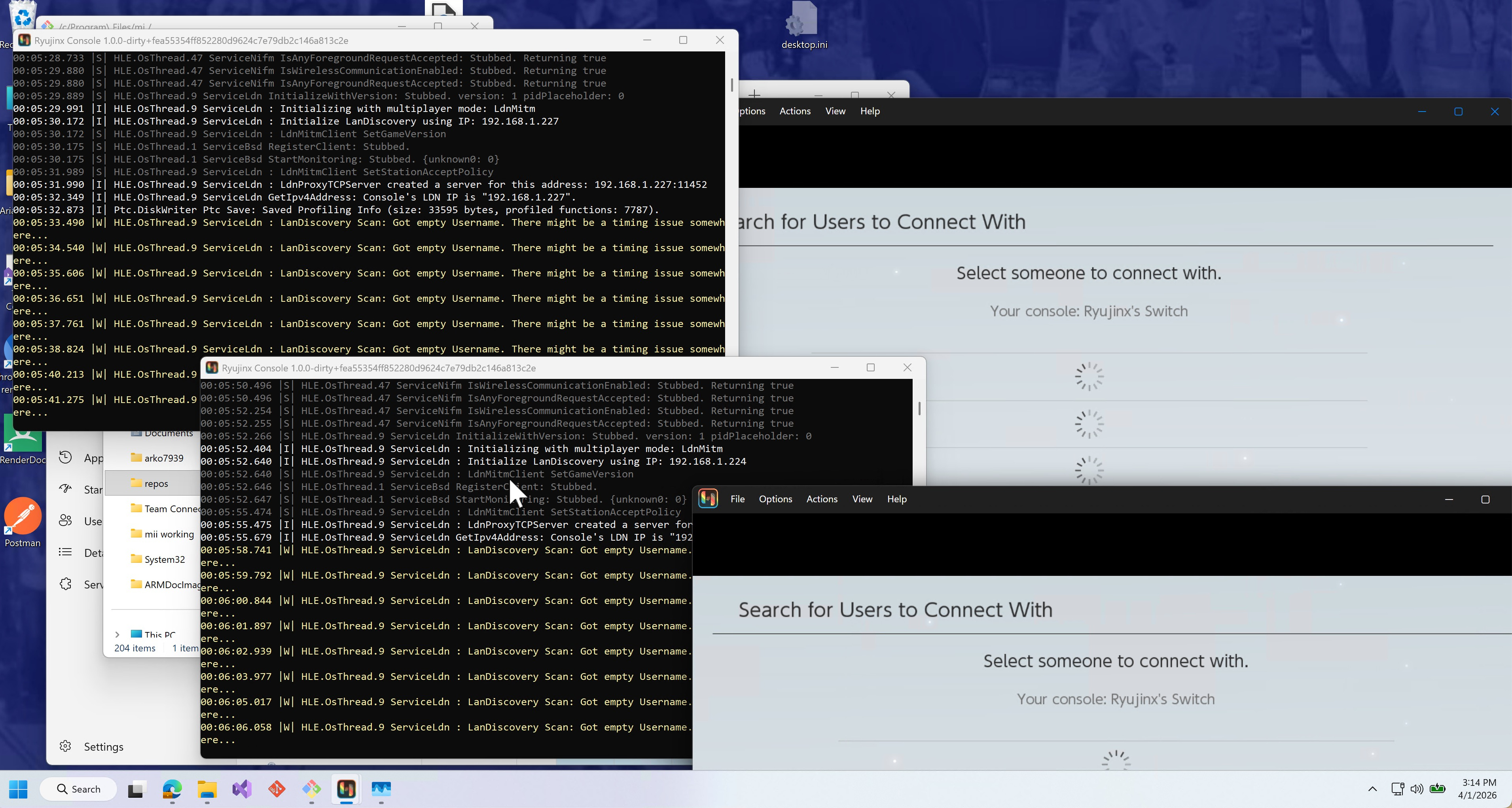
- After patching that out, it then showed up but didn’t connect.
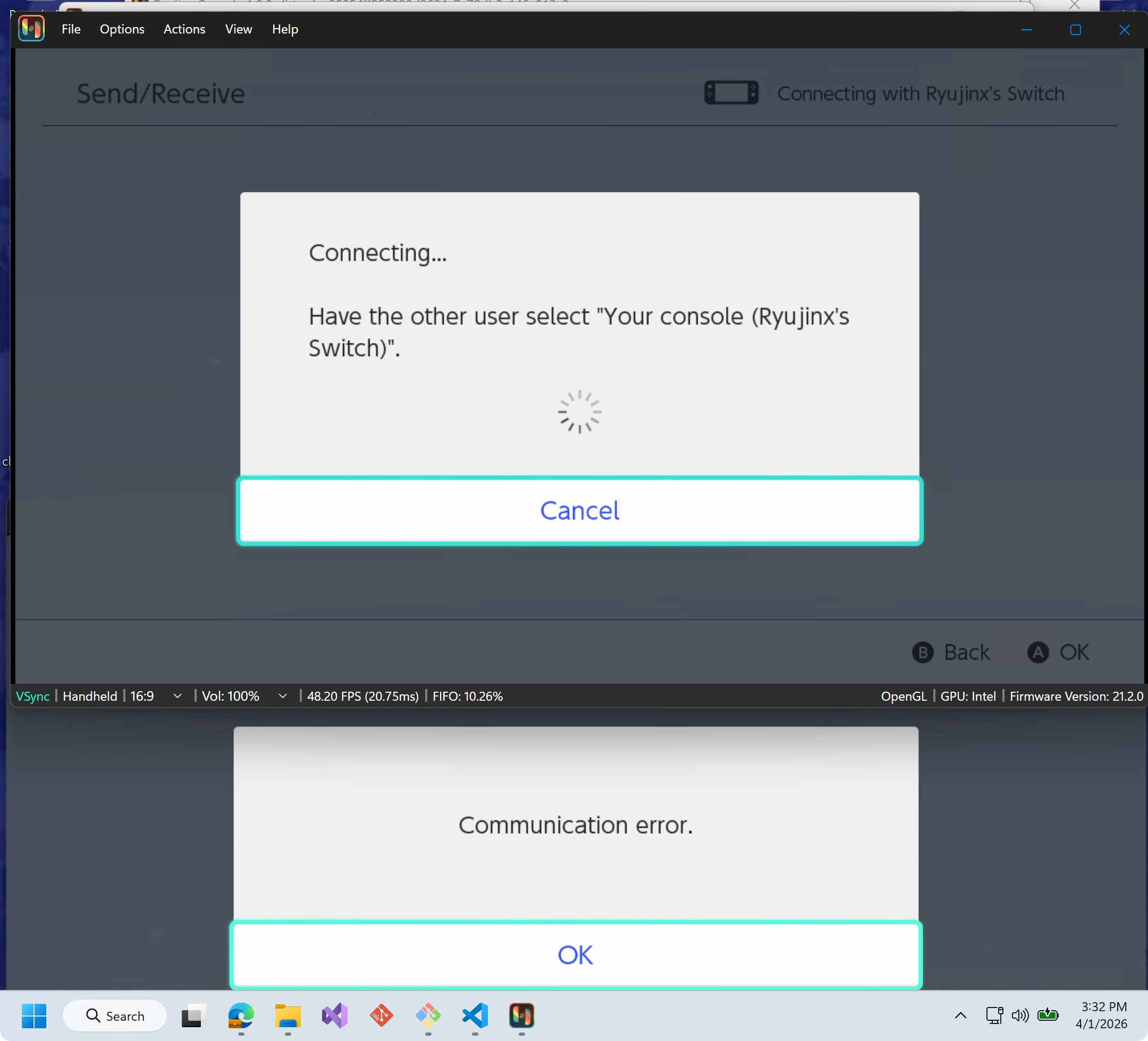
- I didn’t see any obvious errors in the console, either. It tried to connect, then changed its mind.
Why does MiiEdit Not Work
I don’t know, but on the same day I chose to mess around with Kinnay’s LDN repo as well. There were a few interesting scripts here.
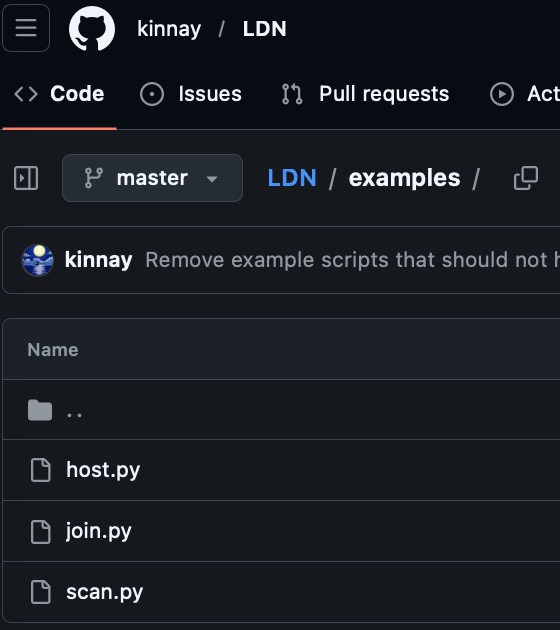
After finding a spare Wi-Fi dongle and firing up a Linux VM, I ran the “scan.py” script that works without any other special setup.
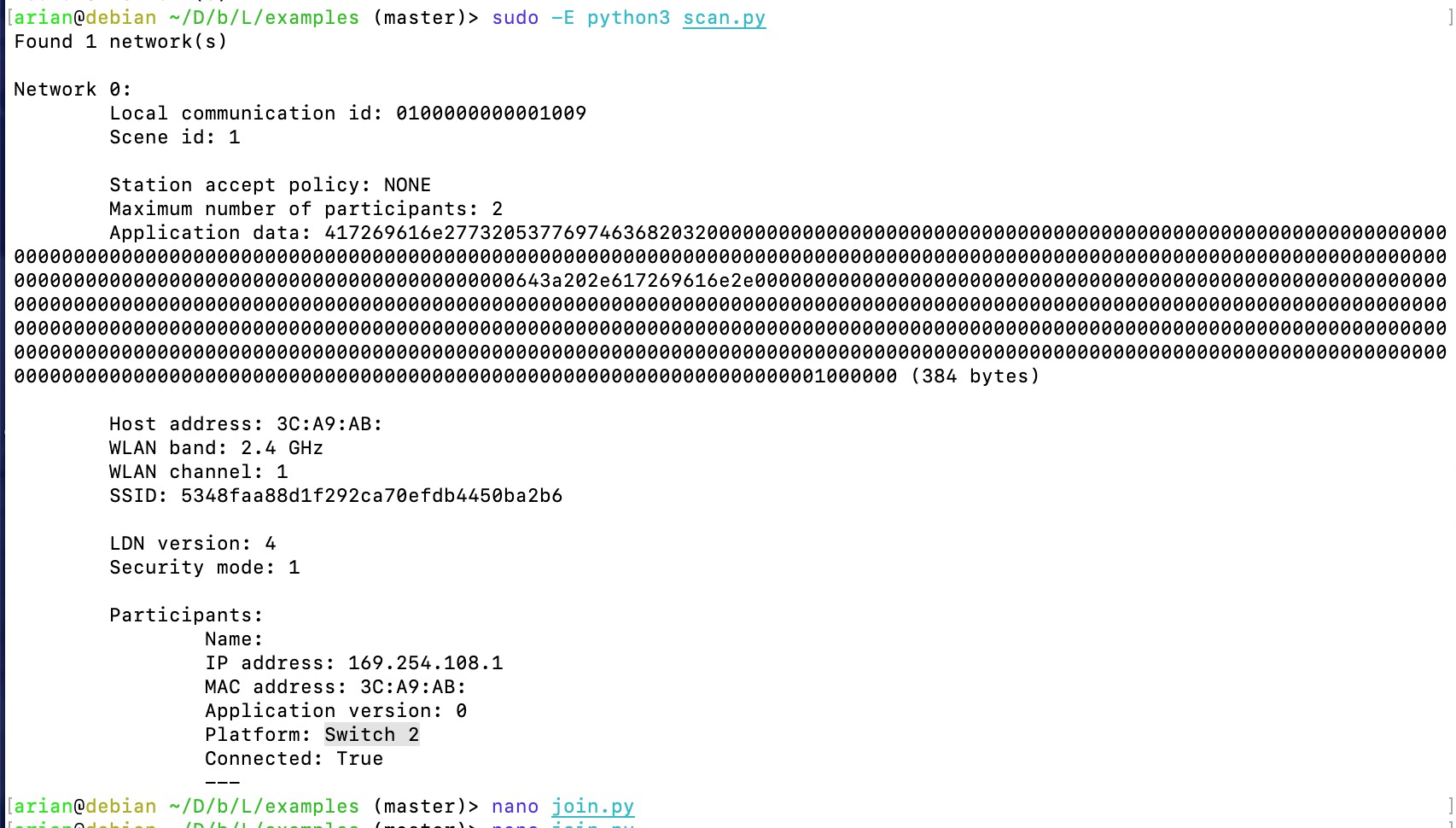 It showed up! That actually shouldn’t be too surprising if you know how LDN works, but it was still really gratifying to see some semblance of progress.
This script sees my Switch 2, and I can observe that… wait, what?
Station accept policy: NONE
Usually, one console hosts and then another one joins. Pretty straightforward. But even with the right password, I could not join this hosted network.
Well, now let’s try running host.py. After finding the LDN password required for this, looky here! It actually shows up on the real console, as well as my Switch 2.
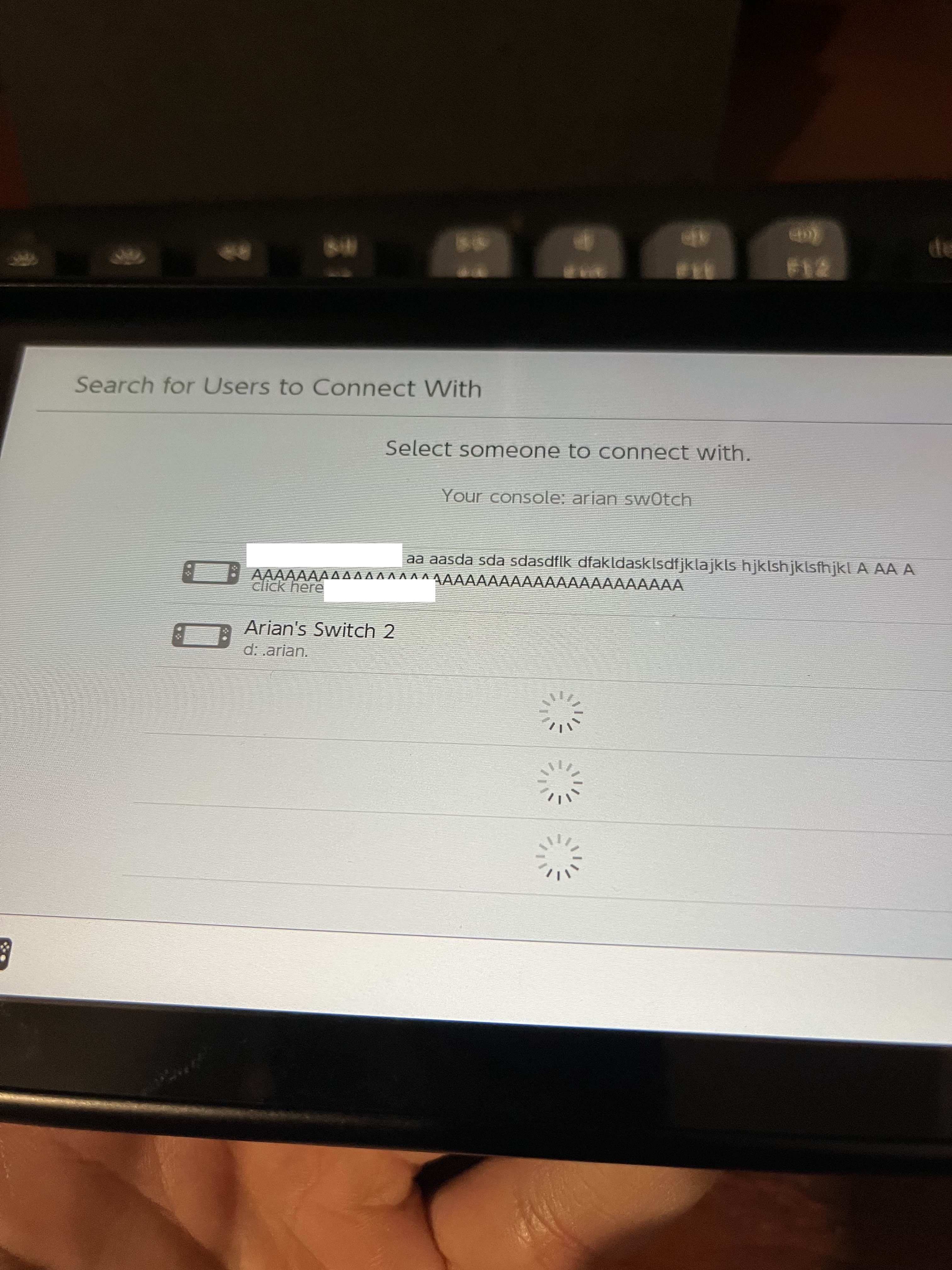
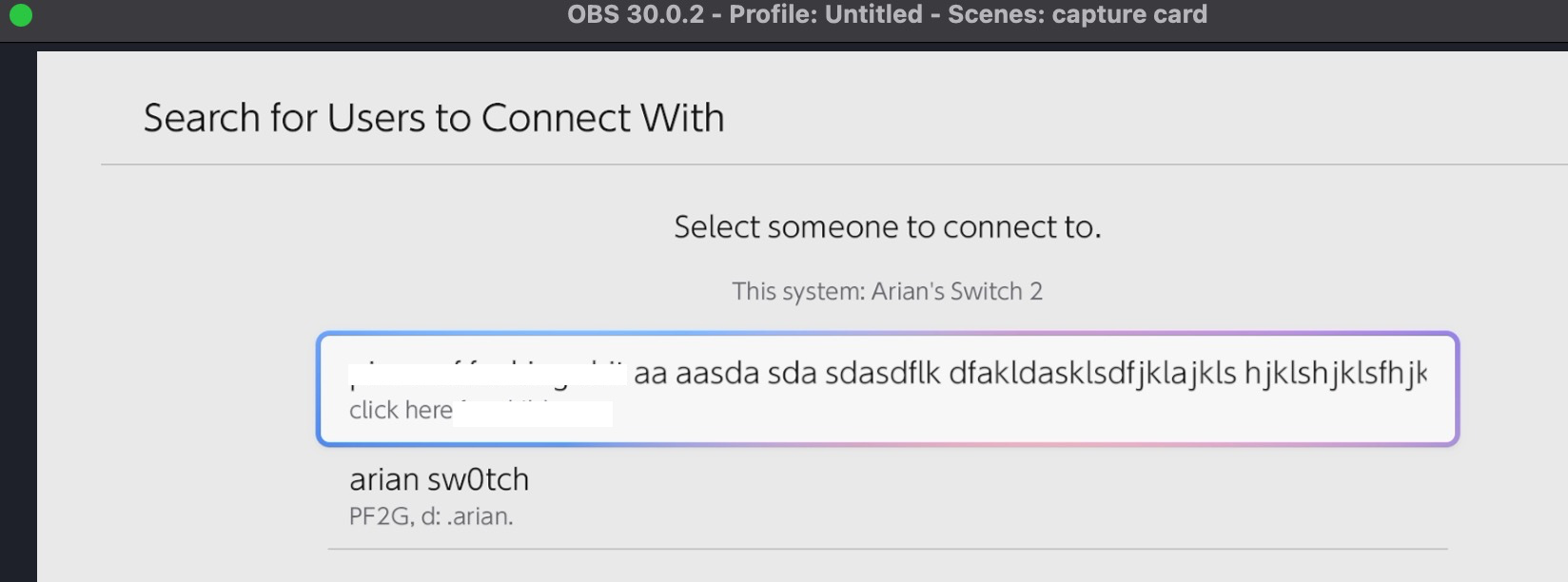 (I have censored some immature comments that I should not have put there whoops)
Now this begs the question, what happens if we connect? Do we see any- nope we just see nothing. Nothing happens. Nothing ever does.
Do you remember the screen from earlier that said…
Connecting...

Have the other user select (Name)'s Switch.
The Switch kept saying this after I tapped my PC. But I looked at the script’s output, and it didn’t even try to connect. Maybe it was waiting for the other to connect? Do they need to connect to each other?
Remember, BOTH networks were still set to “closed participation”, and it wouldn’t let me join at all. I tried seeing if this changed while it said “select the other console”, but it did not. Always stayed like this.
At this point I decided to look back at Ryujinx, since it should log all of the system calls the applet is trying to do.
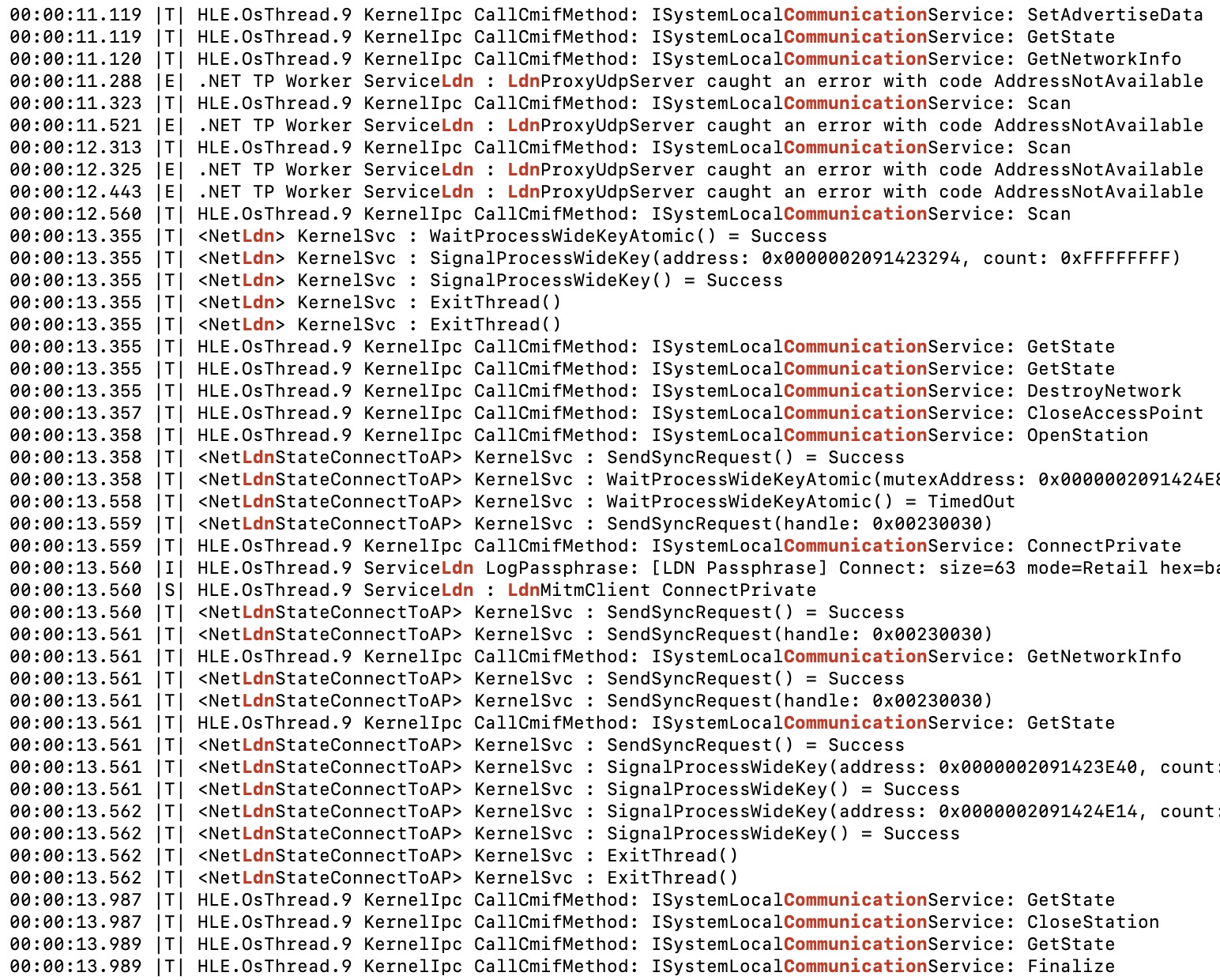
This is a little unusual. Each console hosts its own network, sees another console’s network, chooses to connect to it instead. But I don’t get how it does that when it’s always closed- wait a minute, what’s this?
00:00:13.559 |T| HLE.OsThread.9 KernelIpc CallCmifMethod: ISystemLocalCommunicationService: ConnectPrivate
That’s right, this MiiEdit motherf*cker keeps using private APIs.
So what’s the difference between Connect and ConnectPrivate? …I don’t know, and that’s also the point at which I gave up.
Current… “Progress” with the Actual Game
As a reminder, everything I tried up to now has been with the MiiEdit system applet and not the real game.
Now that we do have the retail game, research should be as easy as any other game that uses LDN, right? In theory yes, but in practice I heard this from a friend.
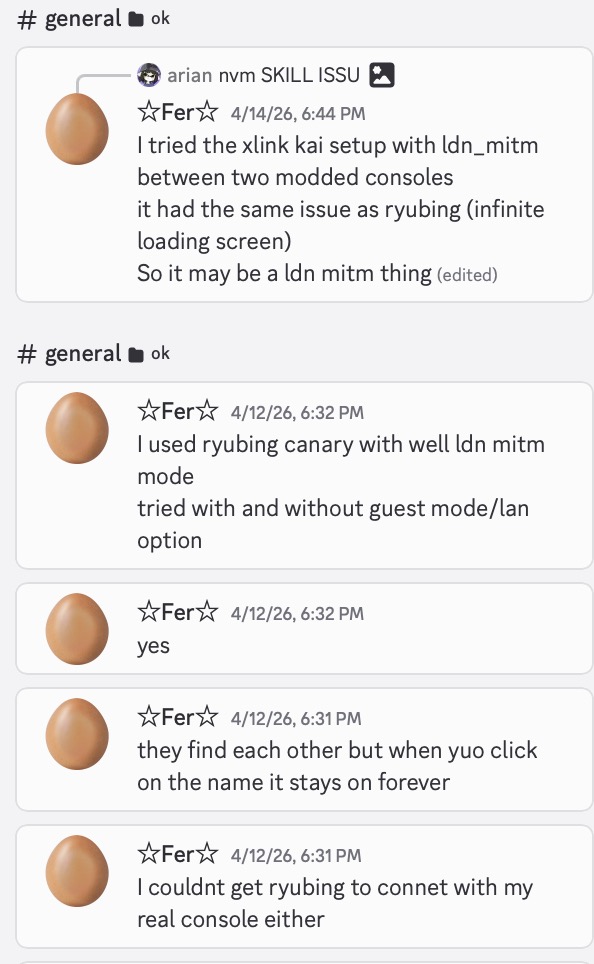 Already another bad sign that this doesn’t “just work” the way it’s supposed to. But I didn’t probe too deep into this, because I dreaded having to copy the 6 GB ROM over to my work laptop and get that all set up.
I will probably have another look at this eventually, but my interest sorta fell off.
Update if you are lurking and interested: The LDN passphrase for this game is the following.
size=26 mode=Retail hex=4142434445464748494a4b4c4d4e4f505152535455565758595a0000000000000000000000000000000000000000000000000000000000000000000000000000
Umm… Using The 3DS?!?! 😹
Let’s address another one of our biggest problems with the idea of using a PC to spoof a real console: Doing this requires low-level access to the hardware, meaning Linux, meaning headaches.
But this was supposed to be for unmodded consoles, the “easy” way out. In order to get there, you need to hack your PC instead? Waste three afternoons doing most cursed backass insane stuff with sudo and 30 Python scripts, and not only does it still not work but you’ve destroyed your Windows install in the process, right? This is not a good way to live your life.
A handful of alternatives have come to mind:
- Run a Linux VM + connect a USB Wi-Fi dongle
- I think running a VM requires admin, and definitely needs code specific to Windows/macOS/Linux. It’s at least isolated.
- Specialized USB dongle?
- Possible with a microcontroller (like a RPI Pico, ESP32) but that’s the more difficult route.
- Using a Raspberry Pi Zero or some other device running Linux may also work, but, I can also picture it being a hassle.
- Rooted Android phone
- Some people got monitor mode working here, but this is probably the worst option though as it’s uncommon to have a compatible phone.
Doesn’t all of this sound like fun? I kept thinking about another method in particular though: If all we need is full control of a device that has Wi-Fi, what about… a hacked 3DS?
Think about it for a sec. It’d be as simple as running a homebrew app - no extra accessories, nothing to bog down your PC. The best part is that pretty much every 3DS out there has CFW installed, and fans of Tomodachi Life are likely to have one.
(Later on, it can also be expanded to do Wi-Fi transfers between other 3DS/Wii U consoles or even the Wii, which would be very versatile!)
Is there going to be some limitation of the 3DS’s Wi-Fi hardware preventing it from doing this? Well… I hope not!
By default LDN uses 2.4Ghz (unless they changed it, please Nintendo don’t do this to us) and the hosted network actually supports 802.11b/g, which the 3DS needs.
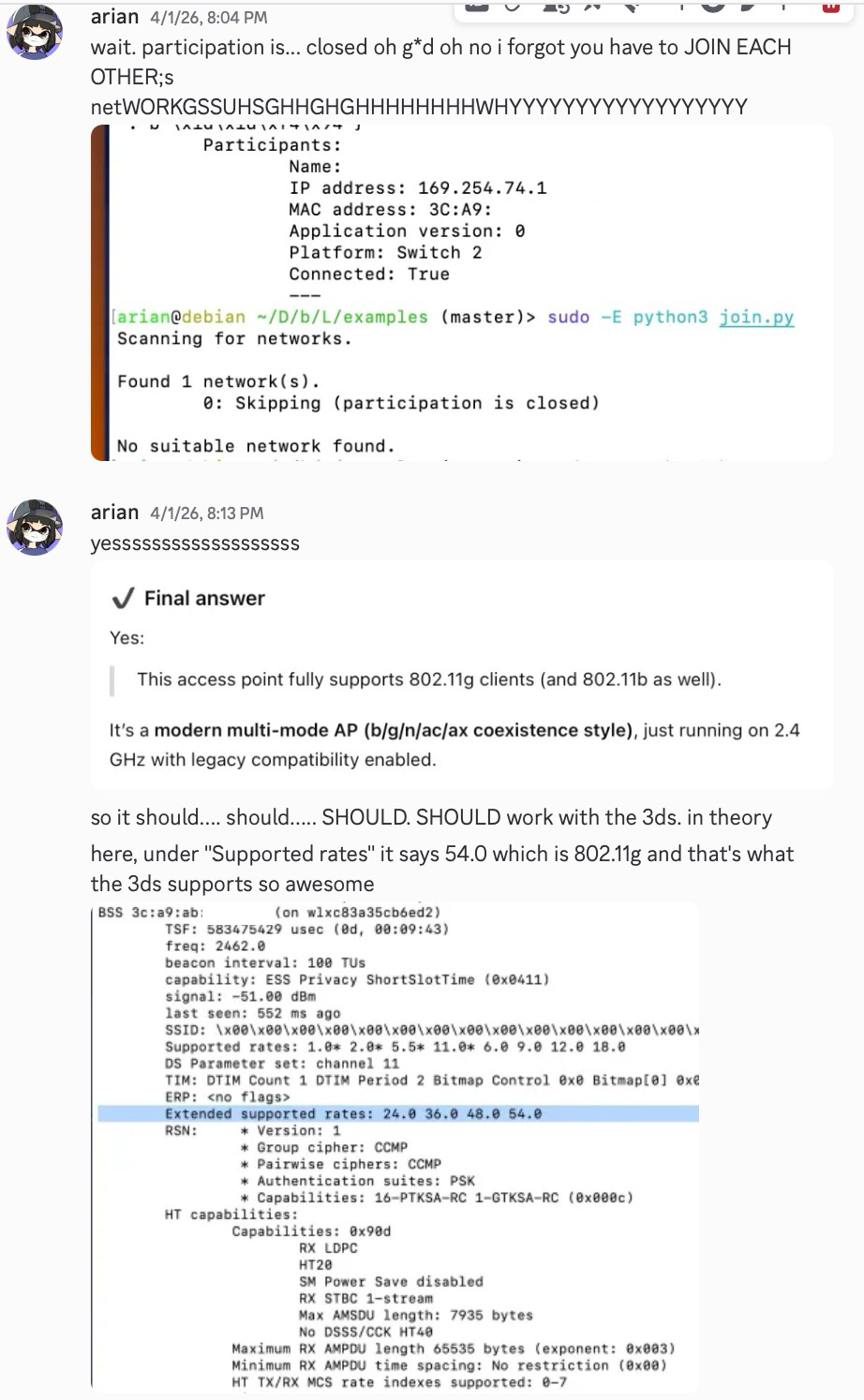 Thanks for confirming, Chat CBT.
However, all of the above remains just a concept. Is there going to be some other stupid random thing preventing one or all of those options from not working? Absolutely. At the very least, Kinnay’s Python code has to be refactored to C++, and I’ve seen pet projects die over less.
I’d still really love to see this working in one way or another. The fact that this feature has never been reversed for the Wii/3DS/Switch means that if I don’t, then nobody else will. But I’d love to be wrong.
Rendering the Dream?
Y’know, custom Mii rendering has been a bit popular lately. I wonder who started that trend. Is it possible to render all of the new features? It absolutely is, especially with the Mii data format being reversed.
I will point out that the current Mii rendering solutions (as in, the FFL decomp and anything derived from it) aren’t even “ready” for something like this. They would need dramatic changes that aren’t worth making in the case of FFL. My new Mii rendering solution with Fusion would be perfect for this given its modularity, but of course, it’s not ready whatsoever.
Don’t get me wrong, rendering Miis isn’t extremely complex, and someone could paste a bunch of existing code together to make it work (many have). Something like that would work for a proof-of-concept or one app, yes, but would be really difficult for anybody else to use.
Let’s dive into what this would involve. For now I’m just talking about shapes/textures, not lighting or physics. Sorry to anyone who wanted the sh*tty looking cel shading (although someone in the tlmodding discord looked into that).
Ass Ets
These Mii assets are ACTUALLY in formats Nintendo has used before, which is new for Miis.
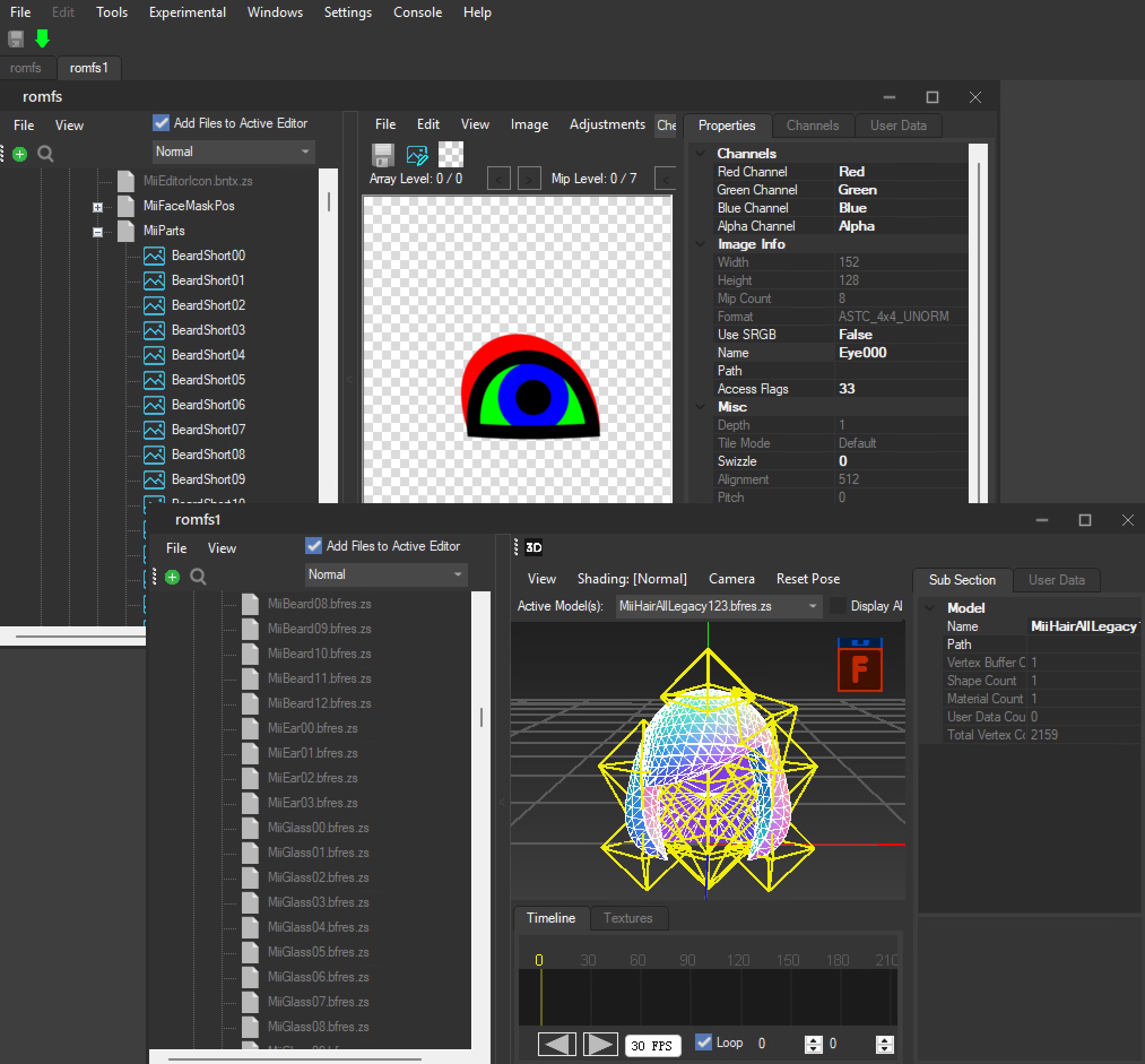
For those who are unfamiliar, every single first-party game that ever had Miis prior uses the Face Library and its assets (“resouce”) shared across the system. These resource archives are all in completely proprietary formats, in order for it to work standalone.
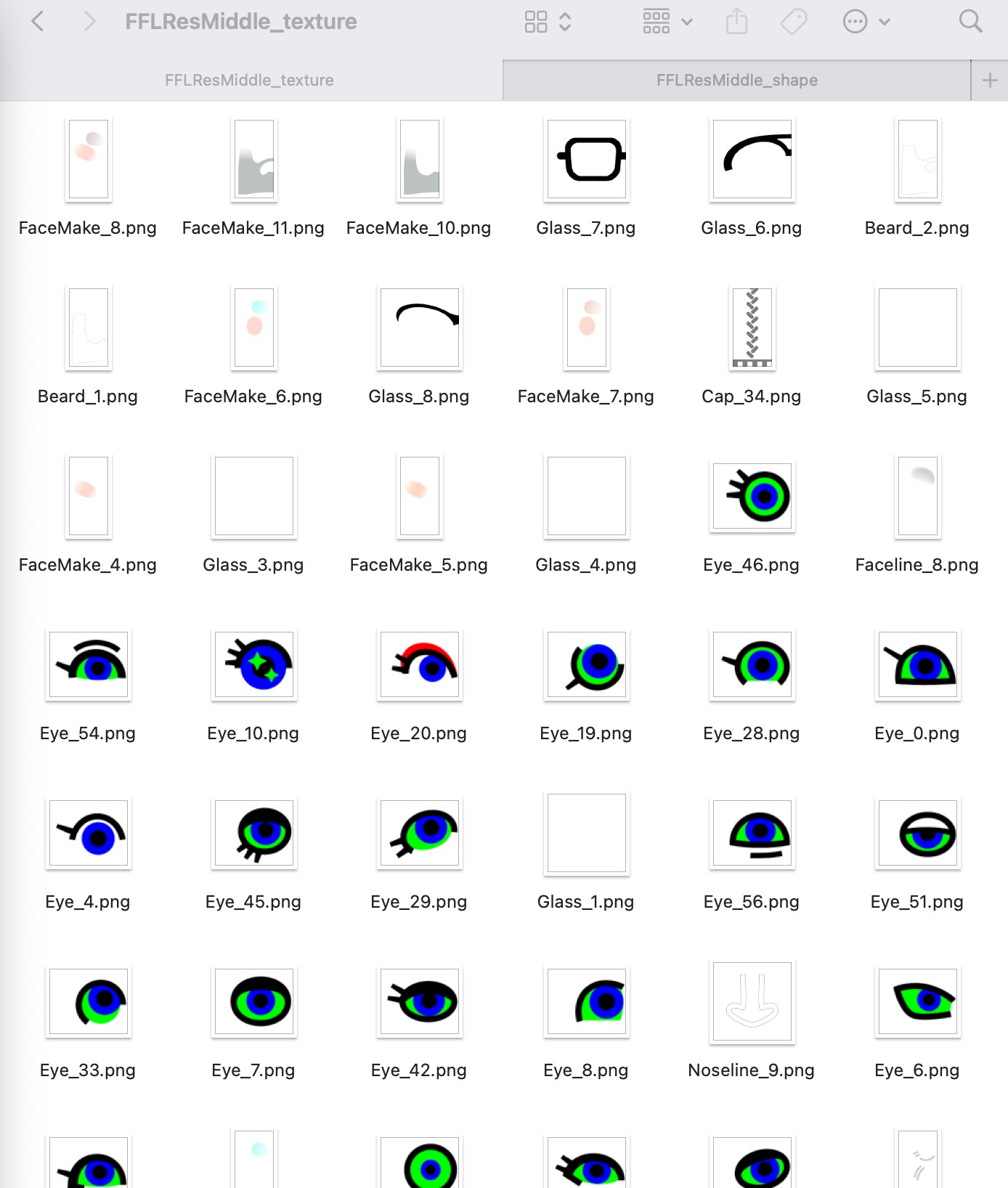
Once you get past the surface, they are just standard shapes and textures.
But now, instead of dealing with proprietary garbage, we have… slightly less uncommon proprietary garbage! 😀
All of the models are in “bfres”, a file extension Nintendo has been using for 12 years now. This and the other “bf” formats are a part of NintendoWare, and the library that handles models is called “G3d”. For whatever reason this isn’t very common information, and as a result, half the results you see for “bfres” are either the original Wii U format or the completely incompatible Switch format. Cool, right?
“Just Open the Bfres, Bro”…
Goal: Regardless of what format the game uses, we want it converted to something we can actually use. What we almost always want is glTF 2.0 (“glb”), an open format supported by many 3D frameworks and tools.
I also really, really wouldn’t want to convert all of these by hand. That can be error-prone, and is just annoying. This means not going through Blender, a tool I hate.
What are our existing options? Well… I’ve never been a fan of any of them.
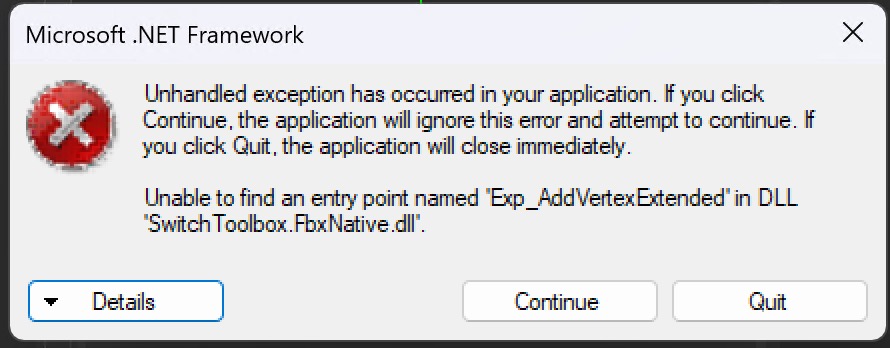
- Switch Toolbox -> FBX: This gave me an error when I tried it. Even if it did work, I… don’t really care, as FBX is not an open standard.
- 3DS Max BFRES Script (Random Talking Bush): It looks like a good option, but 3DS Max is not open-source and thus infinitely less flexible than I want it to be.
- Also, there’s only one “3DS”. I hate getting results for this piece of f*cking gar b*tch when I am searching for Nintendo 3DS
- Switch Toolbox/Track Studio -> DAE
- First of all, DAE (“Collada”) is an old format that many are trying to get rid of support for.
- Most tools I use can’t open DAE files from Toolbox/Studio, including Assimp and Three.js.
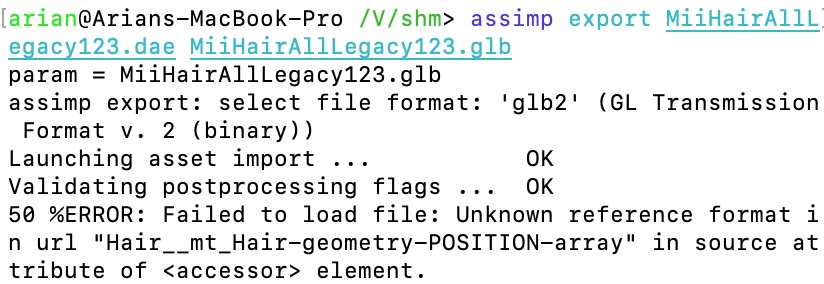
- If I use the “old exporter”, it does open but… what?
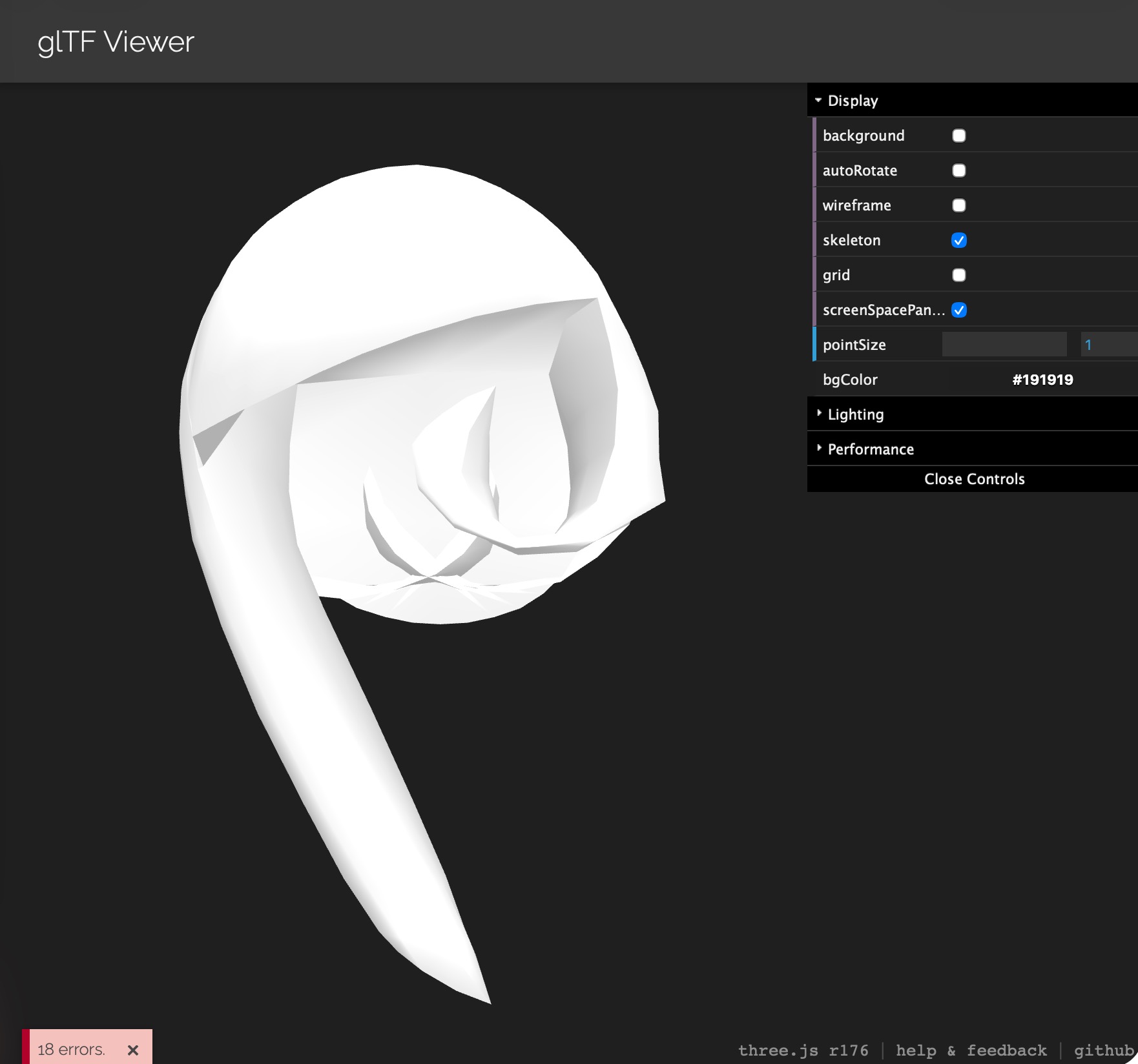
- The model actually does look correct in Blender, but again, we are trying to avoid that.
- Ywingpilot2/BfresToCast: Neat tool and the authors have their heart in the right place.
- Unfortunately, this “Cast” format they use isn’t supported well at all. There is no converter for Assimp.
- Blender can open Cast files, but ew!
If this isn’t what I want so far, then what DO I want?
I think it’d be great to leverage the Open Asset Importer Library, AKA “Assimp”. It’s capable of exporting to many different formats, meaning that we don’t have to argue about which one is the “least bad”.
Does Assimp have its issues? Oh, absolutely! But you know what, I’d rather fix Assimp directly and improve it for thousands of users, rather than just ourselves.
My Own? BFRES? Solution? Or Not?
I’ll point out that not only are there not that many tools, but there’s barely any libraries available for BFRES.
The “best” one as of now is BfresLibrary, which was forked from the 8 year old (j*sus) NintenTools.Bfres and maintained by KillzXGaming.
Let’s address the idea of a new BFRES library.
- Doesn’t sound all that complicated on the surface, and it isn’t really.
- But BFRES has many different versions, as well as many, many features not supported in other model formats.
- Anyone wanting to parse BFRES by hand is asking for a total nightmare.
- You’re bound to make a library that only supports one game.
- That doesn’t help anybody, and the idea of doing this makes me wince.
- Let me restate this, I really passionately hate the idea of only supporting one game and not caring about anybody else.
I would always rather use existing code. But I’m also not fond that BfresLibrary, as well as almost all other NintendoWare parsers, are all IN C#.
Since a majority of those tools also use WinForms, this creates the most restrictive environment: You can’t easily call C# from other languages like you can with C/C++, and these tools are usually Windows-only. You need a bunch of annoying stuff to be installed on top of Wine to use them elsewhere. That’s just stupid.
At some point it may be worth looking into rewriting some of this code in Fusion so that it’s actually reusable by many people, but that’d take a ton of time. For the moment, I have to grit my teeth and use what exists now.
So here I go, I went and tried vibe coding a tool that imports BfresLibrary models and exports with Assimp. Does it work? Ehhh… kinda.
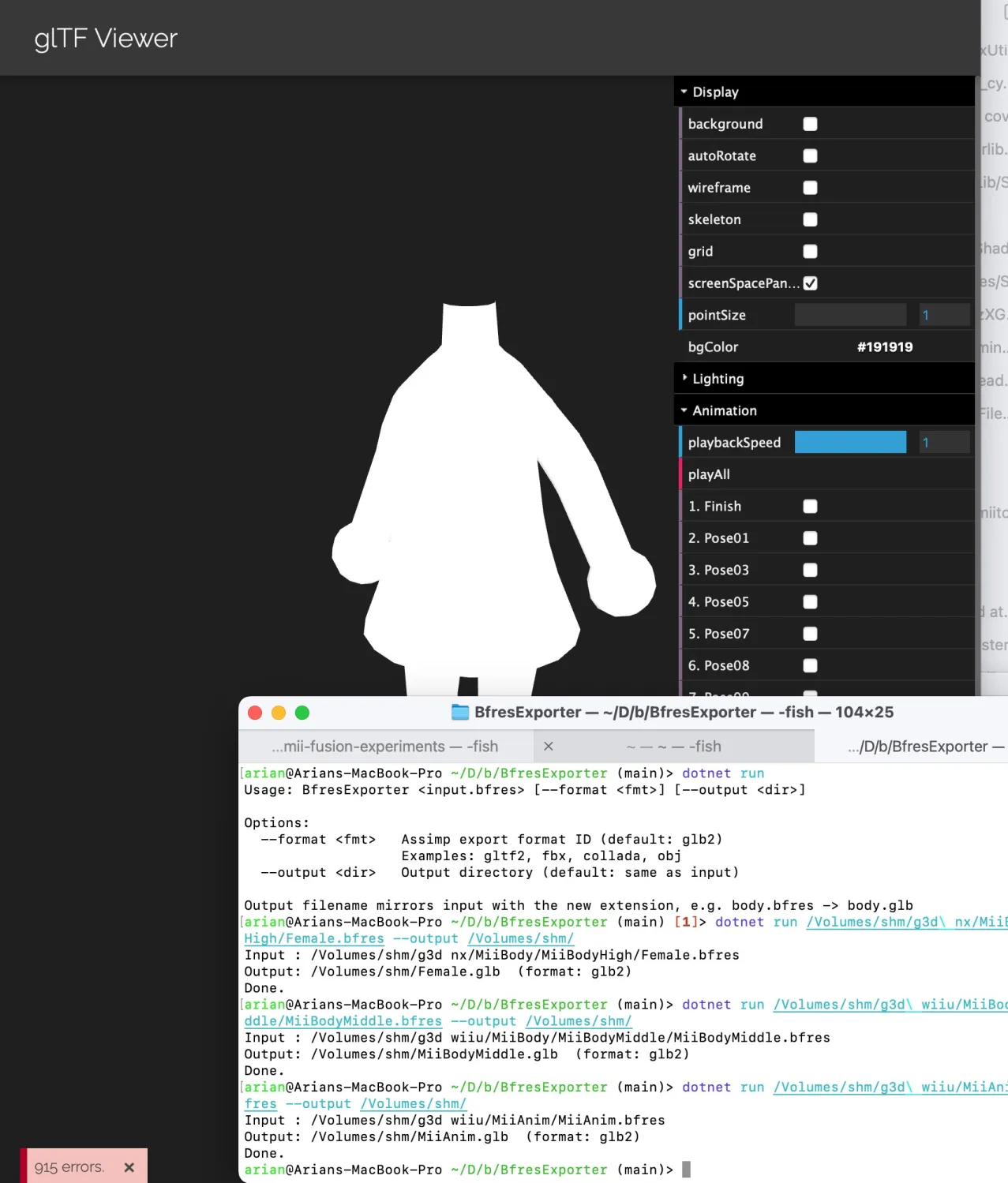
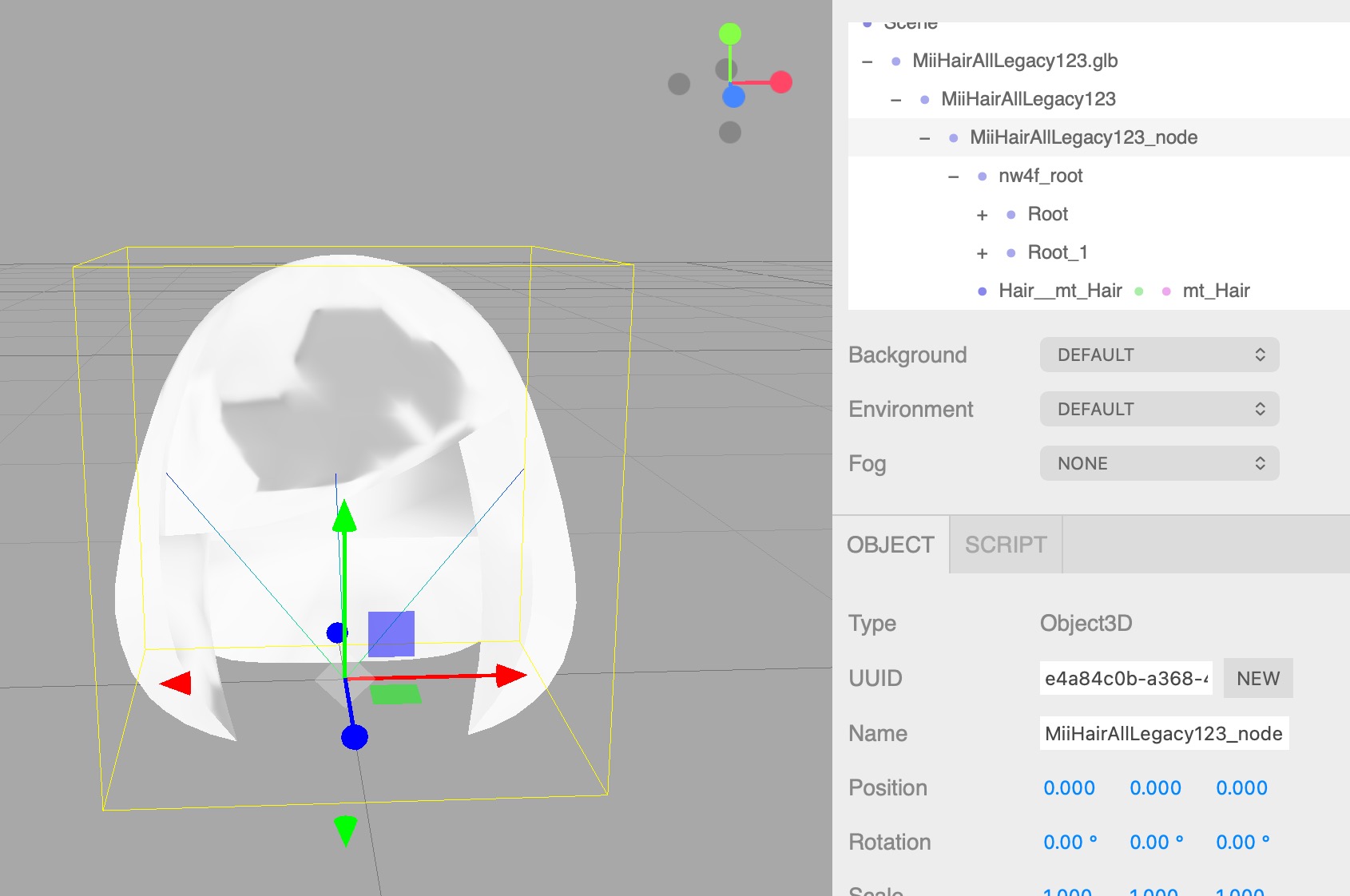 As of now, my tool has these problems:
- Does not export to every format, some like DAE/FBX fail (good 😂)
- Improper handling of normals. Who tf is parsing SNORM10 as float 🙄
- Issues with the skeleton
I really hate debugging skeletons/bones/animations in particular, it gets very confusing very quickly.
But to bring up an even bigger topic: If we don’t have the “correct” output to test against, how are we going to properly fix our code?
In fact, if one of the main problems of writing your own library is the amount of formats and variations, shouldn’t we really have one place for model files of every version? That’s where a potential chicken-and-egg problem starts, because some of these bfres WRITERS have problems too. Time to haul out the SDK tools…?
This is something I will definitely look back at for another time, because I need a good BFRES converter for other projects as well. What I’m afraid about is just getting it right. I don’t want to fix one model and see another one break - I just want them all to work. Don’t you?
The Absolute State of Mii
Another challenge I’m navigating throughout the release of this game has been… me. I have enough mental load from unfinished and unexplored projects as it is, but Nintendo dropping the demo for this game without warning really didn’t help.
- My Fusion library would’ve been perfect for this game, but it’s incomplete.
- I am seeing others try the “Mii library” with many flaws.
- There is still limited documentation for Mii internals: rendering, data…
- The RFL/FFL decompilations have some valuable info, but apparently nobody cares for those.
- When I explain some of this, I feel like I’m teaching the same concepts over and over again.
- I am seeing some of the patterns I hate most repeated again.
- Two SaveMii repos, same name, one is usable on the web only (not as a CLI), the other is desktop and CLI only, both are in different languages.
- The classes for Tomodachi Life save data were originally in C# for the editor, and there is another one in TS (out of necessity), so are there going to be two different competing tools for this too?
- If I released my library, I would’ve had the opportunity to show people how great Fusion is, but I didn’t get to do that yet.
But one of the things that weighed on me the most was that: the community I want to be here… isn’t.
There isn’t one place that “we”, as in, anybody else who’s this autistic about Mii characters can discuss and work on stuff with all of our collective efforts.
- The tlmodding Discord is great, but doesn’t have everybody.
- Tomodachi Enterprise has good people but is too specific.
- Kaeru Team’s Discord has some who know Mii internals, but the rest are really annoying kids asking when Kaerutomo is going to be back up.
- HEYimHeroic’s Discord is ok, but hasn’t been active or well known.
- mii.nxw,pw’s private Discord is… private.
- Heck, MY Discord is private too, so I may as well be just as bad as the rest of them.
This is what I was missing the most when the demo dropped. That collective excitement, the rush to get as much working as we possibly can, challenging and supporting each other.
Since certain events went down last year, I haven’t known anybody who’s as passionate about exactly my interests here specifically: getting down to the bottom of how this stuff works. Not modding, but reverse engineering and remaking the real deal.
That’s one of the reasons I began this blog, so that I could inch towards being more open and sharing what I’m working on. I think more people should start their own blog, it’d be great. It also means we don’t have to use Discord. Does anybody actively like Discord anymore?
What am I working on in April
Y’know, admittedly my interest in this game faded shortly after the release. I’m sure I’m not the only one who can say that, either. It’s not a bad game or anything, but I didn’t.. even play it. I was only interested in reversing it.
So after the dust settled, I simply got back to my backlog.
- 04/07: Pushed to publish this blog and tried writing this post in the days following.
- 04/14: Did a minor update to mii-unsecure’s frontend that bundled and organized the JS, as well as adding 10-month-old code I had lying around that draws the Mii QR code with the logo, finally.
- 04/16-19: Worked on refactoring my Fusion resource parsers to be abstract as well as adding texture decoding.
- But I need do that raylib server rewrite so I can properly implement start-to-finish rendering with this AAAAAAAAAAAA
- Now: Thinking that I should really, reeeaaaallllllyyyyy make and put out some basic yet open-source Mii editor so that “those guys” at least aren’t the only one, so that I’m at least made known. No reason I couldn’t have done this in 2024/2025. May discuss more later.
I don’t know what else to say. other than that I had 80% of this post complete by the 7th and had to force myself to finish this post